MonoDeaf Templates, the most advanced Carrd templates available.
"Carrd is limiting" says Carrd users who haven't experienced MonoDeaf Templates for Carrd.


[ upgraded to the max ]
Templates that utilize the same features that the big dogs are using.
These aren't your average cookie-cutter Carrd templates. These templates stretch the realm of Carrd by utilizing some of the same tools found on Webflow, Framer, Wix, Ycode & more.
[ for the adventurous ]
Templates that are experimental, not robotic prints.
Designed through exploration.
Carrd has a reputation for being “limited.” That reputation made me curious.While other builders compete to offer bigger, flashier features, I started asking a different question: how far can Carrd actually be pushed? These templates explore that edge — using creative techniques, clever code, and a lot of experimentation to unlock things most people don’t realize Carrd can do.
[ seriously, check it ]
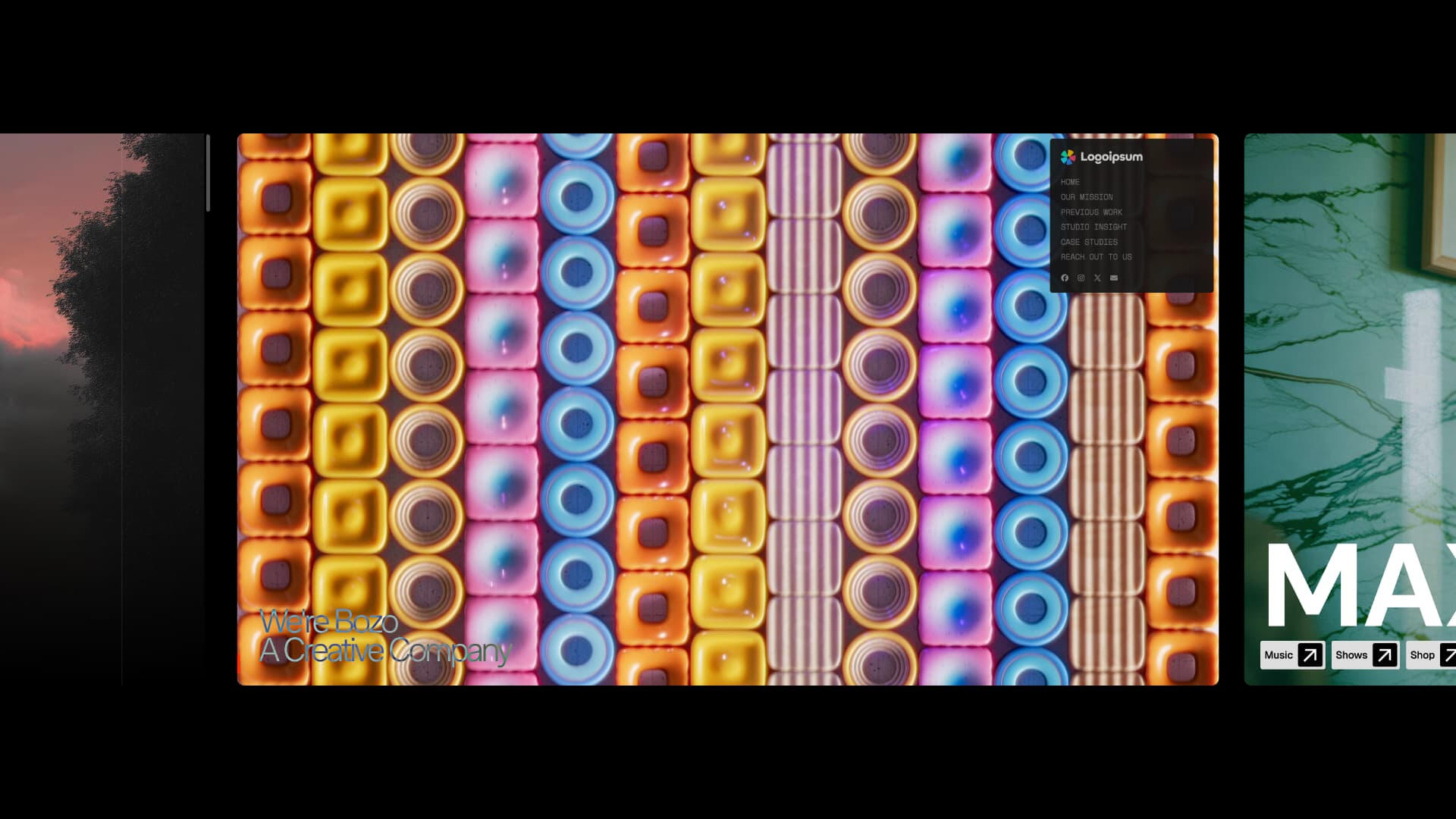
Take a peek at currently the most powerful template for Carrd.
Feast your eyes on a template that utilizes nearly all of the fancy bells and whistles.


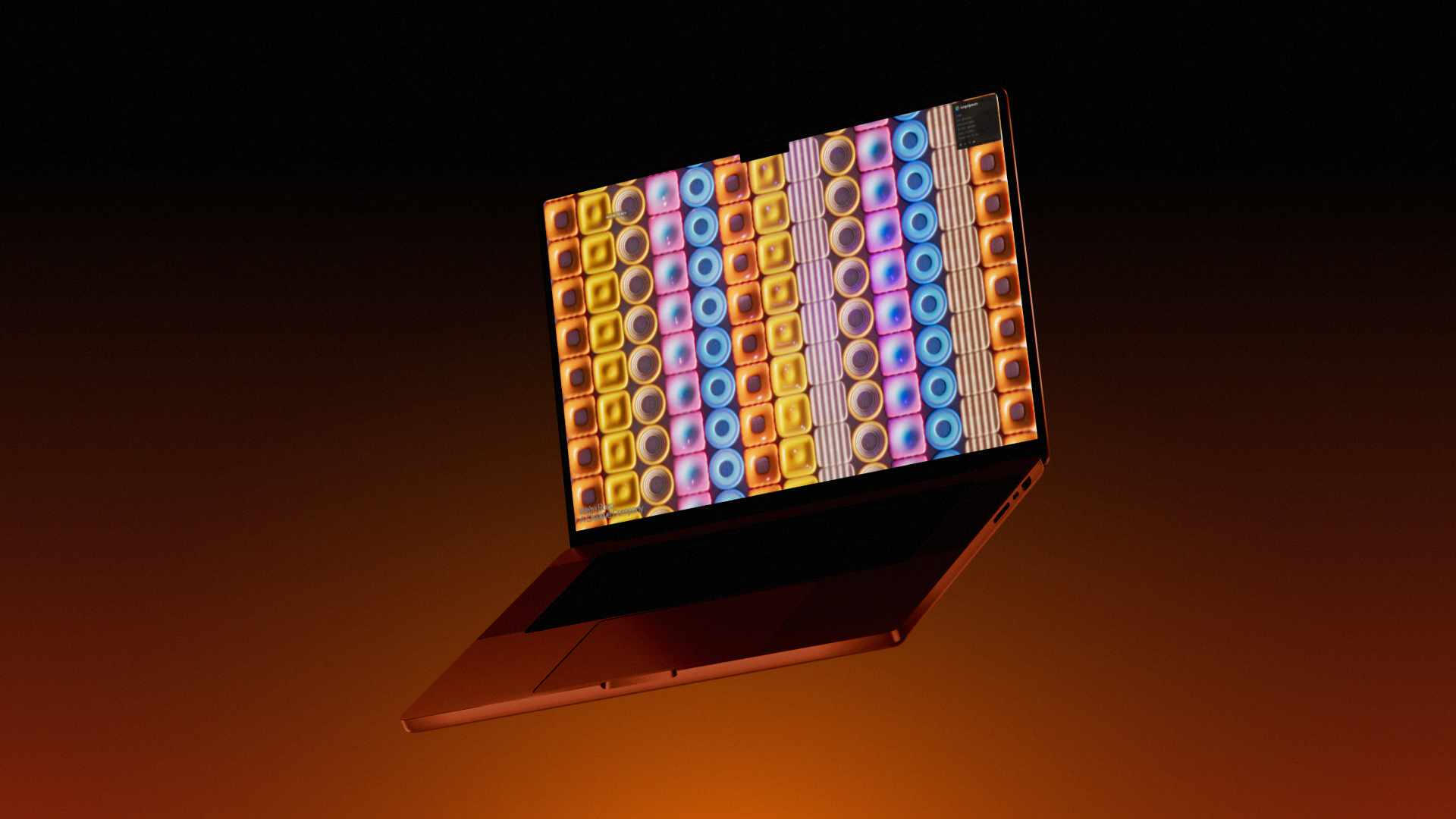
Meet: Bozo
As one of the most advanced Carrd templates to be created, Bozo is a high-impact template designed to feel alive, not static. Bozo utilizes advanced GSAP animations, dynamic cursor interactions, and refined CSS motion to guide attention, create hierarchy, and keep visitors engaged from first scroll to contact. The result is a site that feels custom-built, modern, and memorable—ideal for creative agencies or studios that want to stand out immediately and communicate quality through interaction, not just visuals.
[ Features ]
Like what you see?
[ the creator ]
Who is behind these powerful templates for Carrd?
On the journey to design, explore and prove.
MonoDeaf – Professional Carrd-er
| Web-developer |
|---|
| "I first started out in web design with Carrd, as my record label needed a website. Instead of hiring someone to build one for us, I thought about diving into the project first hand, and immediately fell in love with it. Carrd opened the doors to creating worlds of art and creativity and before I knew it, I was learning code languages to add super cool things in my Carrds to make them stand out. I later used more advanced web builders and started to really understand the structure of websites. Since then, I have created many advanced projects for fun, built dashboards and components, and so much more, and I wouldn't have been here if it wasn't for Carrd." |
| Design Achievements: |
| 3x Featured on Deck of Carrd |
| 1x Featured on OnePageLove |
| 1x Featured on Navbar Gallery |
| 1x Featured on Dragdropship |

[ got questions? ]
I get it — these templates are too good to be true.
Questions you’re probably already thinking — answered.
| What is the point of these templates? |
|---|
| These templates were born out of a mix of design inspiration, technical curiosity, and plenty of hands-on feature testing. They’re not magic tools promising to “guarantee conversions” or “skyrocket your revenue overnight”. They’re not tailored to specific business or brands. Instead, they’re the result of years of experimenting and fine-tuning - proof that Carrd is far from “limiting”. Each template is crafted from a strong pursuit to create non-traditional Carrd sites - ones that are unique, engaging, and bold. They’re hardships, discoveries, and experiences. |
| What makes your templates different from other template creators? |
|---|
| My templates showcase how far Carrd can go when you know how to push its limits. Each advanced element is uniquely customized through classes and IDs to enhance both functionality and style. They’re not just code-filled embed blocks that only code nerds can edit — instead, I blend Carrd’s native tools with carefully integrated custom code. This means you can swap out images, text, or videos just like any regular Carrd project. The result? Templates that feel effortless to use but look and perform like high-end Figma designs — something many viewers have noticed and complimented on social media. I believe that selling templates for a website builder comes with a responsibility: actually understanding how that builder works — and how the web works in general. I’ve spent the time learning HTML, CSS, animation workflows, and modern motion tools so these templates don’t rely on shortcuts. The result is layouts that feel solid, flexible, and professional — not staged. I don’t design templates by mocking up fake components in Photoshop and hoping users imagine the rest. If there’s a testimonial card on the page, it’s a real one — not a screenshot pretending to be useful. |
| Who would these templates be for? |
|---|
| These templates are built for creators who want more than drag-and-drop. If you’re curious about how things work under the hood — and willing to get your hands into code, customization, and deeper functionality — you’ll get the most out of them. They’re not designed to be quick or effortless. They’re designed to teach, push your skills, and unlock what’s actually possible with web design. If that excites you, you’re in the right place. |
| Will I need a pro plan to work with these templates? |
|---|
| Yes. Most of these templates use pro plan required elements, such as forms, embed elements and more. A Pro Plus plan is strongly recommend for it’s high quality image upload, embeddable code functionality and custom CSS application. If you need a pro plus plan — feel free to use my referral link here. |
| Am I able to take an embed element with custom code and use them in a different template? |
|---|
| For most, Yes - though the custom code is created for each specific template, so they might need some adjustments to work universally. |
| How do I set up a custom domain for my template? |
|---|
| To set up a custom domain, refer to Carrd’s document page - https://carrd.co/docs/sites/using-a-custom-domain |
| Will I need to know coding to work with these templates? |
|---|
| These templates are designed for simple and native Carrd customizations like swapping images, videos and text. Easy customization was always in mind during the creation of these templates, so by combining Carrd’s native elements, classes and custom code - you can easily change out text, images and videos while keeping the original look. If you do not have experience with HTML, CSS, Javascript, etc. - knowledge bases for each template are planned to be released in the future, which serves as a document for breaking down every element and code on a template and how to customize them. |
| Higher experience in front-end coding allows more customization abilities. |
| Do you take commissions? |
|---|
| At the moment, I focus solely on creating Carrd templates for general use and inspiration. I dove into the world of web-design for the fun-of-it, and I would like it to stay that way for as long as possible — so I don’t take on custom commissions or personal business websites, but feel free to explore and remix the templates I’ve made available! |
| Do you share any tips on creating Carrd websites? |
|---|
| Yes - I actively work on and update my Carrd site, Stack, where I share Carrd tips, knowledge and code. https://stack.carrd.co |
| What happens if Carrd updates it’s editor and breaks my purchased template? |
|---|
| As of recently, Carrd has updated DOM selectors, causing some disruptions in creating the templates - reminding me that this is a possible scenario at any time without any notice. If this happens after a purchase of a template, resulting in unexpected changes to the site, please notify me and I will look into a solution. |
[ referral ]
These templates don't require a pro, but they do require Pro Plus ✦
Templates like these aren't possible without specific elements only available in the Pro Plus plan. Referrals let's Carrd know that my designs inspired you to level up into the Pro world.
[ wanna do a favor? ]
The next time you see someone say "Carrd is too limiting...", send them here.
A website builder is a website builder. Yes — the major downgrade is Carrd only builds one-page sites, but that's pretty much the only downgrade. The embed element gives you just as much power as Framer — you just need to see it in action.
[ TOS ]
Terms of Service
Please respect the time and effort I have put into the creation and design of these templates.
[ TERMS OF SERVICE ]These Terms of Service ("Terms") explain the rules for using my Carrd templates and related services. By purchasing or using my templates, you agree to these Terms. If you don’t agree, please refrain from using my services.
[ SERVICES ]I create customizable website templates ("Templates") designed for use on Carrd.co ("Carrd"). These Templates are sold through Carrd's platform under their Maker Program.
[ PAYMENT AND REFUND POLICY ]All payments are processed securely through Carrd's platform. I don’t collect or store any personal payment information.Since these are digital products, all sales are final, and no refunds will be provided.
[ LICENSE AND USAGE RESTRICTIONS ]When you purchase a template, you get a non-exclusive, non-transferable license to use it for personal or commercial purposes.You may:• Use the template for your own personal or client projects.• Make modifications to suit your needs, but you’re responsible for making sure everything stays compatible with Carrd’s platform.You may not:• Resell, redistribute, or sublicense the Template in any form.• Use the Template to create competing services, templates, or products.• Claim the template design as your own original work.
[ ATTRIBUTIONS ]Personal use: Attribution is not required.Commercial use: Attribution is required and may be satisfied by one of the approved methods provided. View available attribution methods here.The attribution must be visible on the page, unless a code-based attribution method is chosen, which lies within the developer tools. The text of the attribution must be exact to the provided attribution method and cannot be altered or changed. The text-based attribution method must have adequate contrast to be seen, and cannot be hidden by having little to no opacity, or applying a color the same as a background element to appear invisible. The font-family and size can be adjusted to suit the users style of their page.
[ CUSTOM CODE AND COMPATIBILITY ]Some Templates may include custom code added through Carrd's embed elements to enhance functionality.Templates may require a well understanding of Carrd's editing platform and front-end web coding knowledge such as HTML, CSS and JavaScript.I do my best to make sure the custom code works, but I can’t guarantee that it will function perfectly across all browsers, devices, or future updates to Carrd's platform.I recommend testing the preview of the template thoroughly, throughout different devices and browsers before purchasing the Template.
[ LIMITATION OF LIABILITY ]I provide Templates "as-is" without warranties of any kind, express or implied.I’m not responsible for any losses, damages, or disruptions caused by using (or not being able to use) the Template, including:• Platform updates by Carrd.• Browser or device incompatibility.• Errors caused by modifications you make.
[ DISPUTE RESOLUTION ]If you have any issues, I encourage you to reach out to me at [email protected]
[ TERMS UPDATE ]Last update: 01/31/26We may update or modify these Terms at any time without notice.
Thank you for reading the Terms of Service, and thank you for choosing my Carrd templates.
[ Attributions ]
Proper Attribution
Proper attribution for commercial projects.
PERSONAL USE:
If your site is for personal use (no revenue generated), attribution is not required.
COMMERCIAL USE:
If your site is used for commercial purposes (revenue-generating), attribution is required and may be satisfied by one of the following methods:
Text-Based Attribution:FOOTER TEXT:
Footer text attribution can be achieved by adding a Text element into a footer, appropriately labeled "Template by MonoDeaf".
The text can be any font, but ensure it is visible and not obstructed.
FOOTER LINK:
Footer text link attribution can be achieved by adding a Links element into a footer, appropriately labeled "Template by MonoDeaf", with the URL of the link directed to "https://templates.monodeaf.com||blank".
The text can be any font, but ensure it is visible and not obstructed.
Code-Based Attribution:CONSOLE ATTRIBUTION:
The Console attribution method is the most discreet, as it does not display any visible text or element on the page — the attribution lives within the console of the developer tools as a message.
This can also be useful if the purchased template does not have a footer, where other attribution methods would be placed.
Create a new Embed element. Ensure embed type is Code and set style to Hidden > Body Top. You are welcome to give the embed a Title for organizing.
CONSOLE ATTRIBUTION CODE:
<script> if (!window.attribution) { window.attribution = true; if (window.console && window.console.info) { console.info("Template By MonoDeaf. Visit templates.monodeaf.com"); } } </script>
To view the console attribution, publish the site and open in a new tab. Press "F12" to open the developer tools. In the Console tab of the developer tools — you will see a message "Template By MonoDeaf. Visit templates.monodeaf.com".
[ Documentation ]
General Documentation
Tricks, good things to know, and other important stuff.
[ HOW I FIND IDEAS & START A TEMPLATE ]Generally, I find most ideas by browsing Pinterest, Awwwards and other website catalogs because it's always a good idea to find a reference. Some templates can be crafted from a self-initiated challenge to design a Carrd project as close to an advanced non-Carrd project as close as possible — best showcasing Carrd's capabilities while also learning within it's boundries on ways to utilize specific elements in as which weren't intended to be used in order to get closer to the finish line — so it's also good practice as well, not only in design, but coding, responsiveness control, and more.
[ SELF HOSTED PROJECTS CAN BECOME TEMPLATES ]Some of my very own Carrd projects that I personally use can become templates later on if I've "grown out of them". I love to continue my craft in web development, and this can cause a change of direction for my personal projects. Some projects that gain some attraction on social media can be turned into templates later on for those that loved the design.
[ EMBED ELEMENTS ]An Embed element is a specific element in Carrd that allows the use of front-end coding language to add or manipulate other elements to the site, and is availabe for Carrd users with a Pro Standard plan or higher. When utilizing these embed elements, I try to stick to some rules, such as:1. If the embed element affects the entirety of the site, such as header embeds to import scripts or fonts, or doesnt necessarily affect a singular element on the site, then the embed element will be placed at the very top of the template — to not be lost within the content of the template.2. If the embed element affects a specific element on the template, such as a Image element, Gallery element, or Text element, then the embed element will be placed directly above the element in which it affects.3. Embed elements is to be titled of their specific purpose, using the "Title" input field of the embed element. Some embed element's may have a specified tag, such as "[GSAP]", in which to indicated that it is using a 3rd party motion library.As an important note — not all templates will have embed elements that abide by these rules. Some templates that come from personal projects may have code for different elements or functions bundled all together into one embed element, as these projects are not necessarily built with template-first in mind. Another important thing to note is that with using embed elements, the effects that is caused by the code will only be visible to see on the live site, and not within the editor — so be careful if editing the code within these embed elements.
[ GSAP ANIMATIONS IN CARRD ]GSAP (GreenSock Animation Platform) is a powerful, industry-standard JavaScript library for creating high-performance, professional animations on the web. It's the engine that bigger, more complex website builders use for their animations. The difference between using GSAP in Carrd vs these bigger platforms is the experience. On bigger platforms, powerful animations can be effortlessly created by the use of sliders, buttons, and possibly dragging elements around. On Carrd, it needs to be manually connected and coded.This is where the power of Embed elements and classes come in. Embed elements containing GSAP animations (often titled with "[GSAP]...") holds specific GSAP animations — tied to a specific class. Elements in projects with these classes are the target for GSAP to animate, so if you see elements in a template with a quirky class name, such as "Flow" or "Slide-up", then that element is most likely a selector for a GSAP animation. Sometimes, the animation targets all elements with the same class using querySelectorAll to create individual scroll-triggered animations, so adding the same class to a new element will automatically animate the new element as well — depending on if the new element is the same as the pre-animated ones.
[ testimonials ]
Send some nice words to be on this page
Wanna have your message about the templates on this page? Good – I need some testimonials!Most devs now-a-days fake testimonials with Unsplash profile pictures and fake messages.Not me – I want REAL messages from REAL template users. None of that fake BS.
[ reach out ]
Reach out
Having template troubles? Back-end bugs? Reach out for support and answers. If you have a specific question in mind — be sure to check out the FAQ section to see if it's been answered already.
[ templates ]
Browse freely — no pressure, just Premium Templates.
MESSAGE: All templates are half off for launch celebration
Forgot to grab your Pro Plus plan? No fret! I'll place these buttons right here for just the occasion...
Bozo •
[ Features ]
[ About ]
Bozo utilizes advanced GSAP animations, dynamic cursor interactions, and refined CSS motion to guide attention, create hierarchy, and keep visitors engaged from first scroll to contact. The result is a site that feels custom-built, modern, and memorable—ideal for creative agencies or studios that want to stand out immediately and communicate quality through interaction, not just visuals.
[ Details ]
| Inspiration | Requirements | Version |
|---|---|---|
| koto.com | Pro Plus Plan | 1.0 |
$30 USD
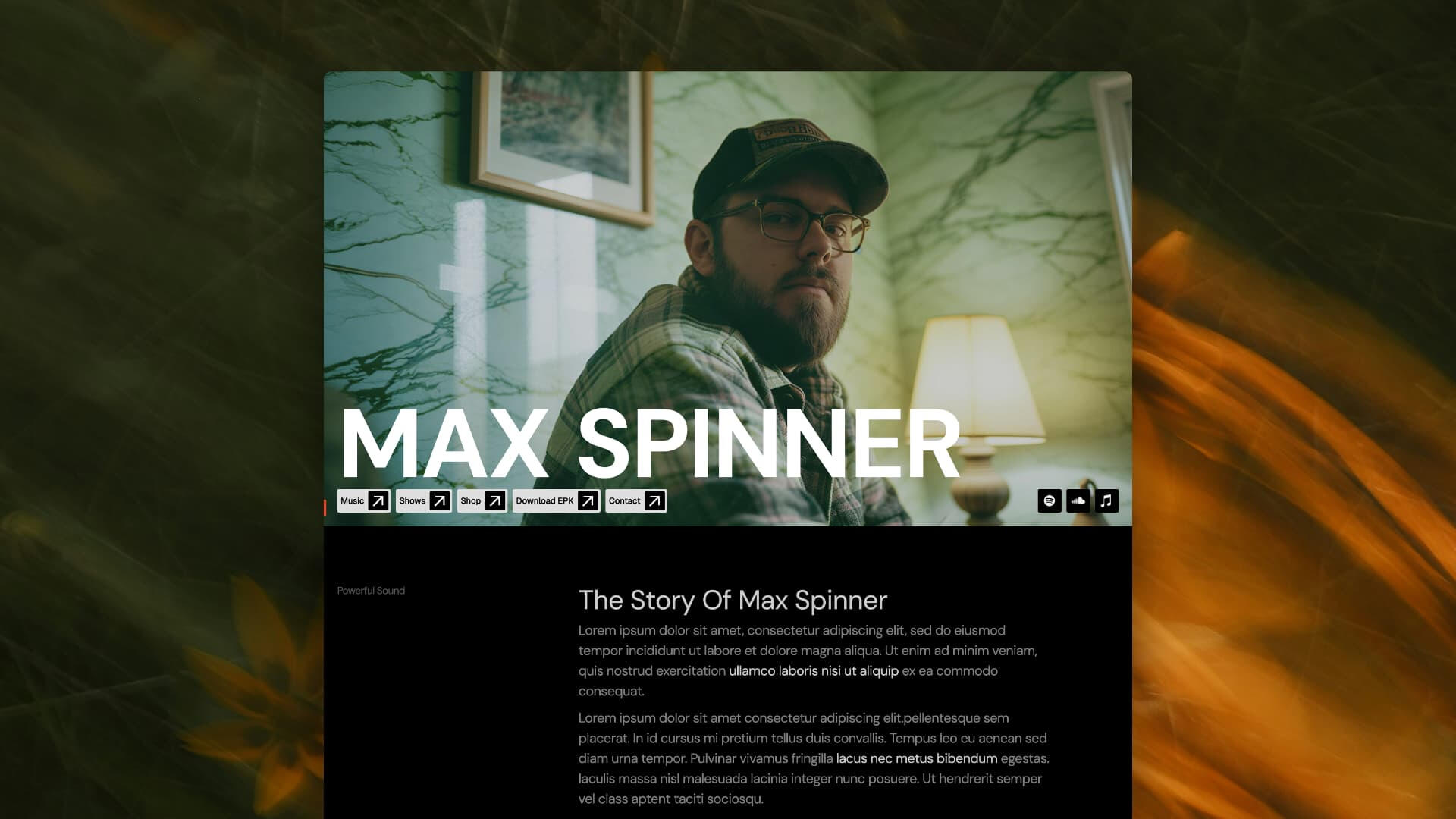
Musician •
[ Features ]
[ About ]
Created by a musician — for musicians. Musician is a purpose-built Carrd template crafted for musicians, DJs, and creative brands who want a high-impact digital front door. This template blends essential promotional elements in a structured layout that feels professional and performance-ready. Carefully crafted GSAP animations captures viewers attention as soon as the page loads. A musicians personal online head-quarters shouldn't be slapped together with scotch tape and school glue.
[ Details ]
| Inspiration | Requirements | Version |
|---|---|---|
| N/A [ On the spot ] | Pro Plus Plan | 1.0 |
$30 USD
Ahead of the Curve •
[ Features ]
[ About ]
Ahead Of The Curve is a polished one-page template built to elevate agency or team brand sites with motion, layout rhythm, and visual focus. This design blends strategy and interaction to present services, team, pricing, and contact in a compelling, story-led flow. Show off the team — their services as well, straight to the core.
[ Details ]
| Inspiration | Requirements | Version |
|---|---|---|
| Pinterest Post | Pro Plus Plan | 1.0 |
$20 USD
Opus •
[ Features ]
[ About ]
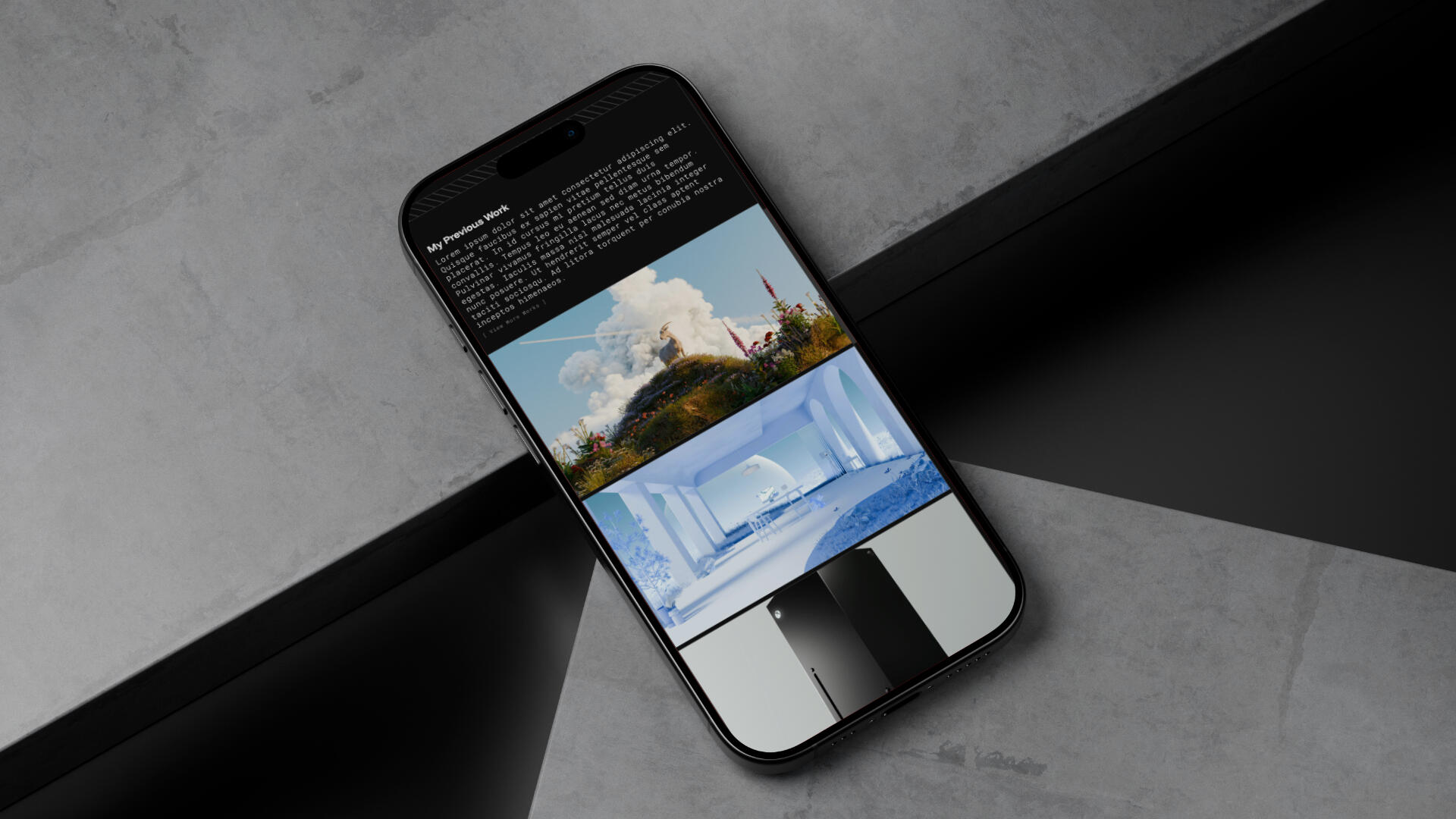
Ideal for 3D artists, designers, freelancers, or consultants who need a single, high-impact page that communicates credibility fast, Opus does just that, built to showcase a creative professional or freelancer with structure, clarity, and style in mind.
[ Details ]
| Inspiration | Requirements | Version |
|---|---|---|
| N/A [ On The Spot ] | Pro Plus Plan | 1.0 |
$10 USD
Reshape •
[ Features ]
[ About ]
Reshape is a conversation-first, product-and-community landing page built to turn interest into action. This template tells the tale of activity, with pop-up modals and a clean layout that enhance clarity and drive users toward signing up or joining. The way motion and layout work together keeps visitors’ eyes moving down the page toward your call-to-action, making it especially effective for newsletters, product launches, SaaS previews, or community signups.
[ Details ]
| Inspiration | Requirements | Version |
|---|---|---|
| Pinterest Post | Pro Plus Plan | 1.0 |
$20 USD
Refine •
[ Features ]
[ About ]
Refine is a clean, minimal personal CV-style profile site built for showcasing a person’s identity, contact info, and professional highlights in a simple one-page layout — perfect for freelancers, creators, or professionals.
[ Details ]
| Inspiration | Requirements | Version |
|---|---|---|
| Pinterest Post | Pro Plus Plan | 1.0 |